Run Your First Calibration
Use the guide on Home to create a chip, run a workflow, and inspect a result.
Before You Start
Sign in to a deployment set up with the Fake backend, with Editor or Owner access to the project. Hardware deployments need the additional checks below.
Start the Guide
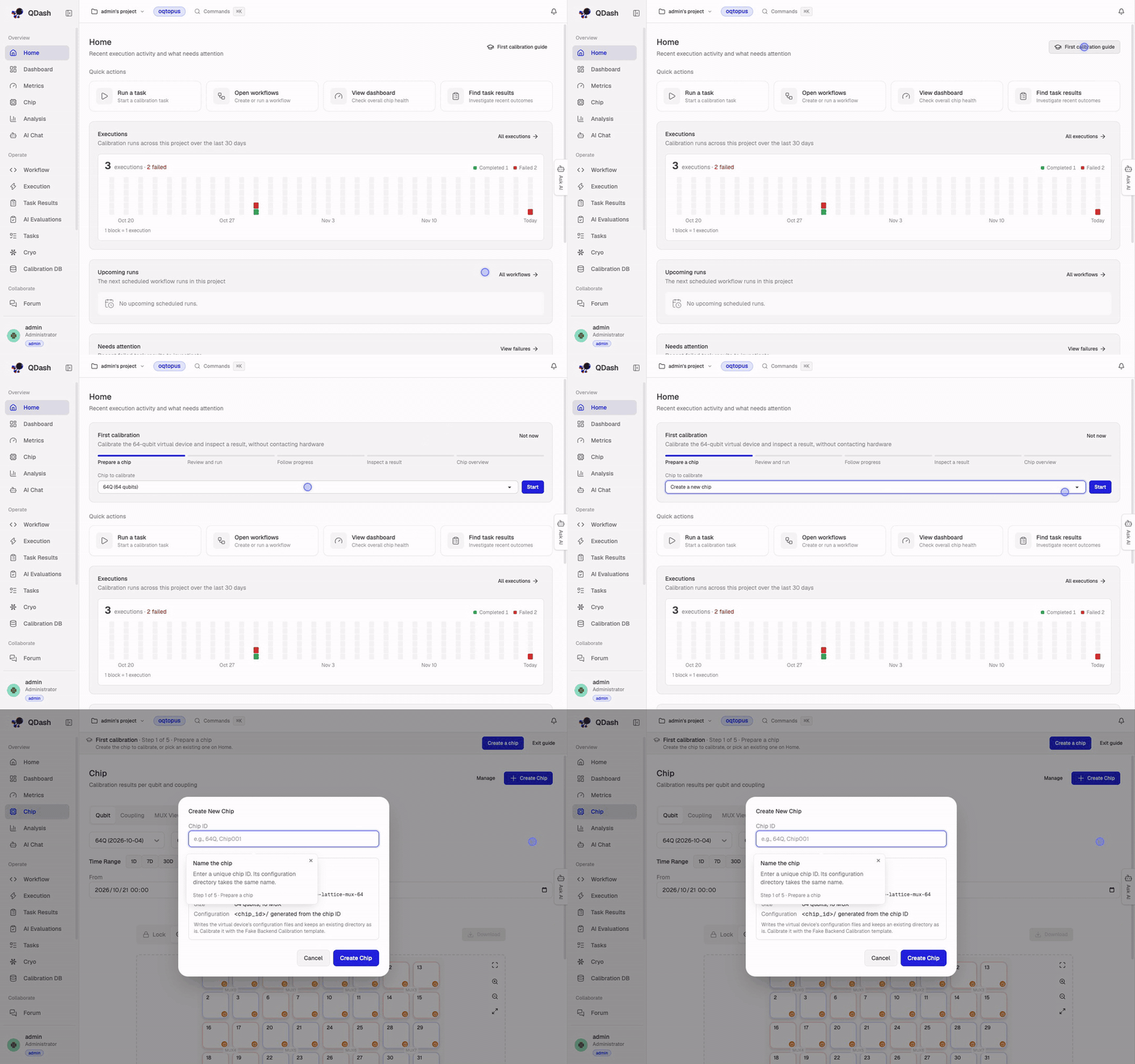
On Home, select Create a chip under First calibration. If the project already has chips, select First calibration guide, choose a chip or Create a new chip, then Start.
Follow the Guide
Prepare a Chip
Enter a Chip ID and select Create Chip. QDash opens New Flow with the Fake Backend Calibration template. Skip this step if you chose an existing chip.
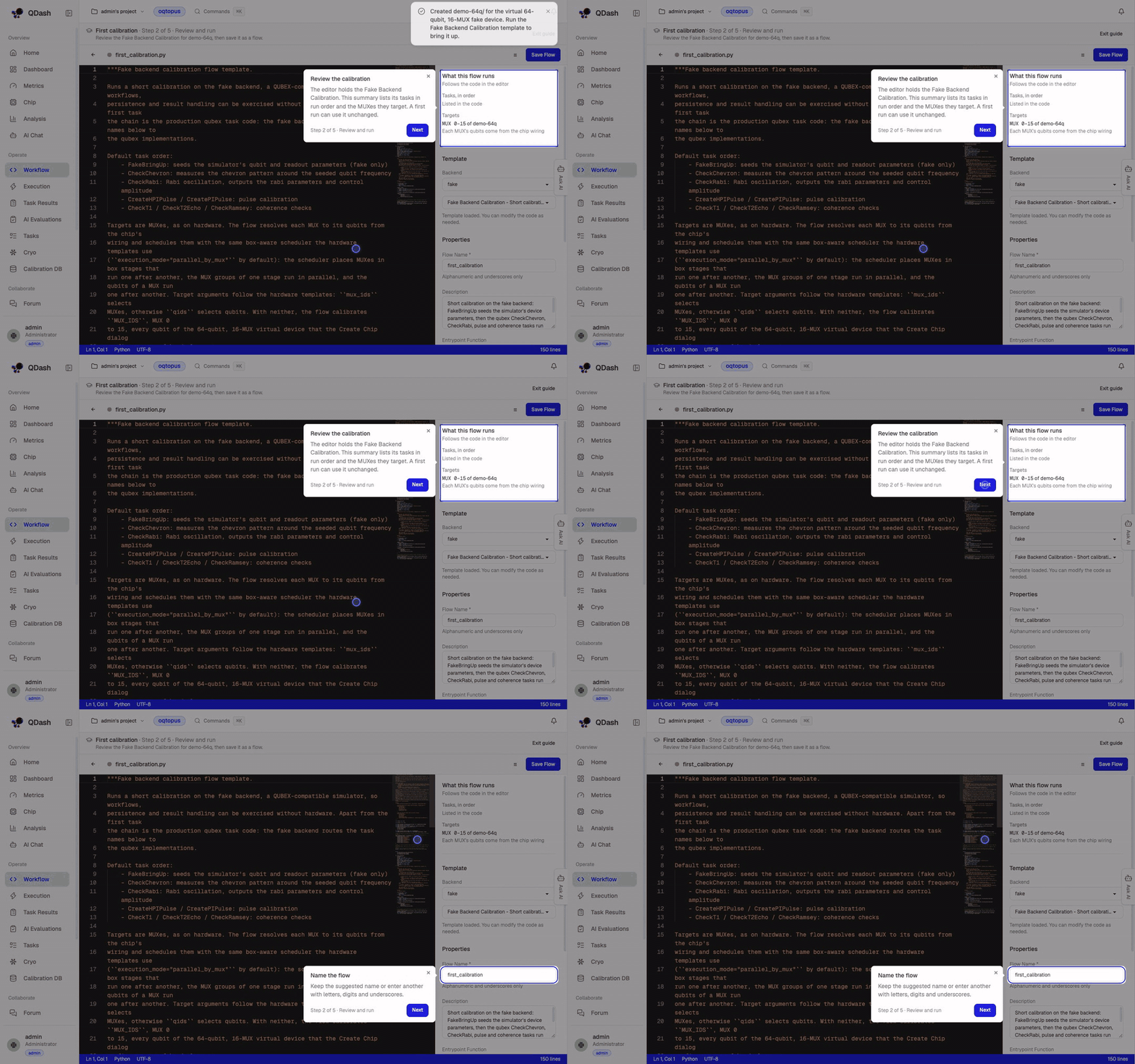
Review and Run
- Read What this flow runs beside the editor. The Fake template can run unchanged.
- Enter a unique flow name using letters, digits, and underscores.
- Select Save Flow.
- Select Execute, check the chip in the confirmation, then select Execute again.
Follow Progress
The guide opens Execution and shows progress. If the run fails or is cancelled, select Open the run to inspect the message before Run again. See Operations if the services are unavailable.
Inspect a Result
When the run finishes, open the highlighted completed task. Review its figure and Output Parameters, then close the preview.
Open the Chip Overview
Open the chip on Chip. Each tile shows the latest result of the selected task. This completes the guide; Home keeps links to the result and overview.
On a Qubex Deployment
Prepare the Qubex configuration first. A chip created from a template still needs its real wiring, boxes, and device settings filled in on Config.
At Hardware readiness, confirm that the configuration matches the connected hardware; QDash checks files, not instruments. In New Flow, choose the appropriate hardware template before reviewing and running it.
Pause and Resume the Guide
Select Exit guide or close a callout to pause. On Home, select Resume to continue or Start over to reset the guide. Progress is saved in this browser for your account and project.
Continue After the Guide
Run another calibration, create a workflow, or review and share results.