
Authentication and Users
QDash combines system-wide user accounts with project-specific roles.
Sign In
Open the QDash sign-in page and enter your username and password. After authentication, QDash opens the Execution page in your default project.
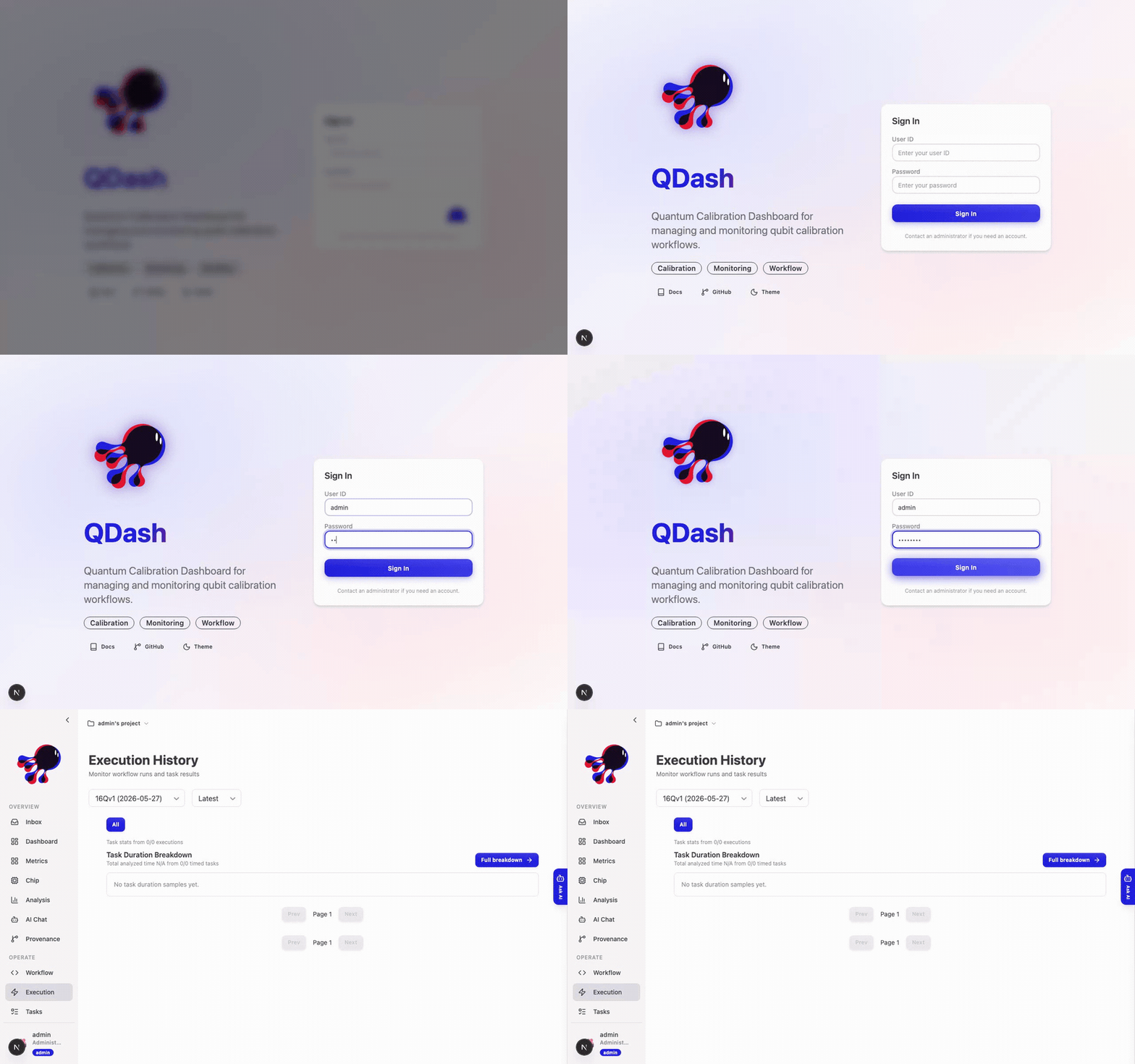
Use the profile menu at the bottom of the sidebar to sign out. The same menu provides access to personal settings and password changes.
System Roles
| Role | Platform access |
|---|---|
| User | Sign in, update their own account, and access assigned projects. |
| Admin | Create users, reset passwords, and open the Admin page. |
The deployment creates its initial administrator during setup. See Setup for the required credentials. System administrators do not automatically own every project; project membership still controls access to project data. An administrator can add themselves to a project from Admin when they need that access.
Create Users
Only a system administrator can create an account. Open Admin, create the user, and provide the credentials through an appropriate secret-sharing channel. QDash creates a default project for the new account and makes that user its owner.
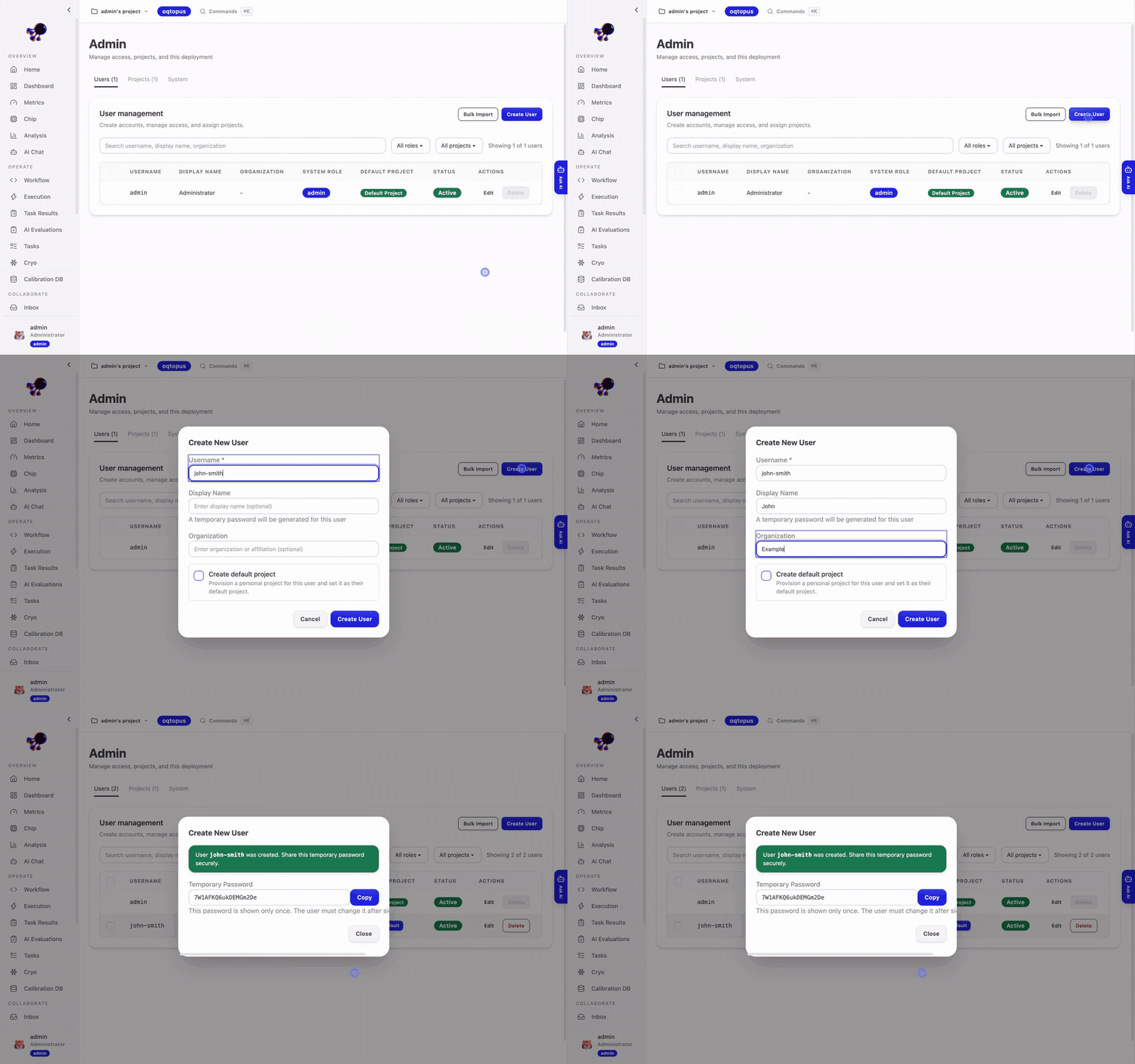
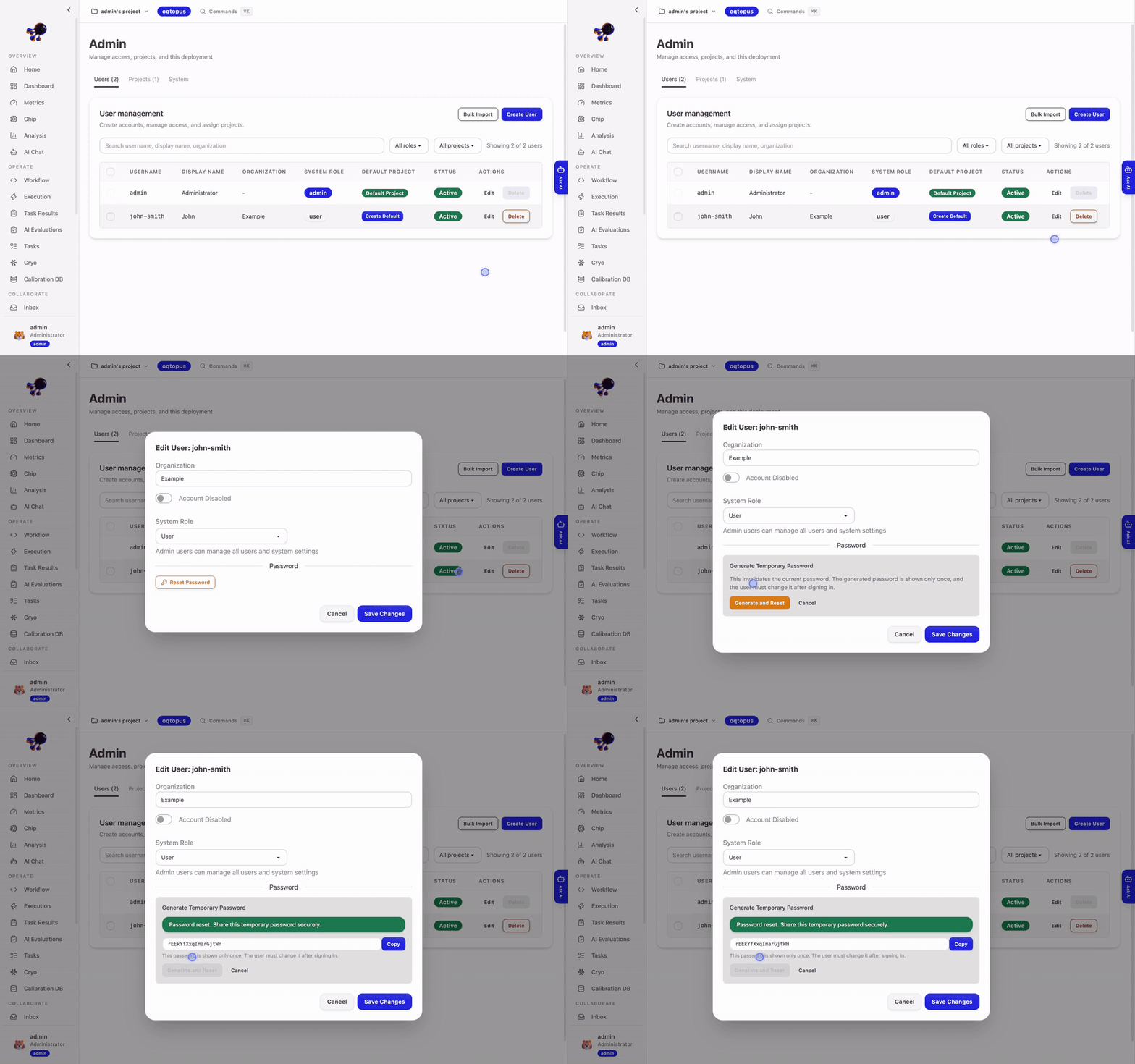
Administrators can also reset a user's password from Admin. A reset replaces the current password and should be followed by a user-initiated password change.
Change a Password
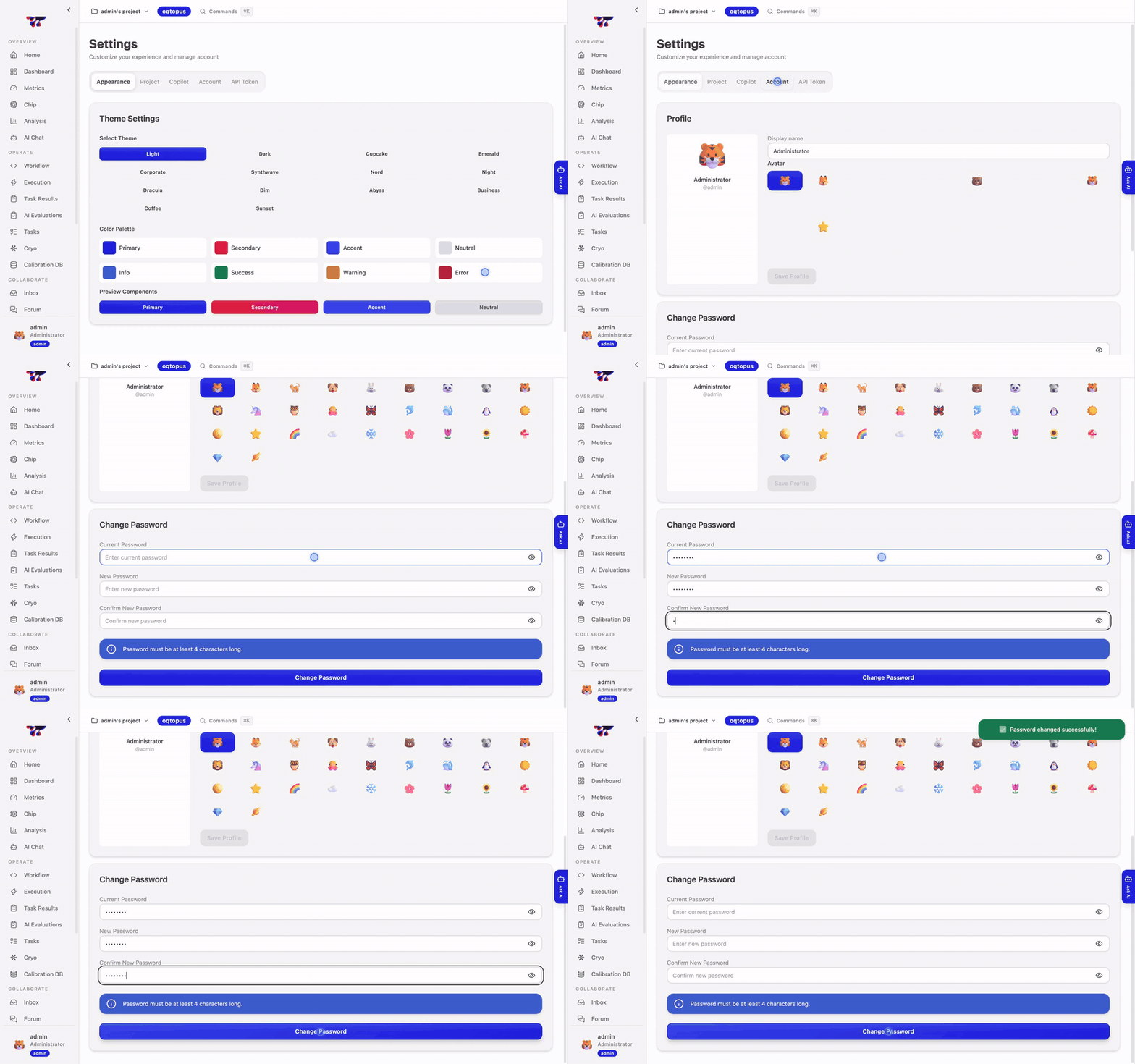
An authenticated user can change their own password from Settings by supplying the current password and a new password. A user who cannot authenticate must ask an administrator for a reset.
API Authentication
Automation should use a saved QDash Client profile. The client handles authentication and project selection without placing tokens directly in shell history.
For a custom API integration, use the interactive OpenAPI page linked from QDash or the OpenAPI reference for the current authentication and project-selection contract.
System roles control account administration. Project roles separately control calibration data and operations; see Projects and Data Sharing.